


























A drafting table is an adjustable work desk with a tilting surface designed for architectural drafting, engineering drawings, illustration, and technical projects. Unlike a standard desk, it lets you change both the angle and height of the work surface for improved posture and precision.

If you are searching for what to look for in a drafting table, you are likely comparing features, trying to avoid buying the wrong size, and wondering which model will support long work sessions without wobbling or causing back strain. This complete guide covers everything you need to know, from tilt range and height adjustment to stability, materials, storage, and budget, so you can choose with confidence.
The 6 Most Important Features in a Drafting Table
Before diving deeper, here are the six features that matter most when choosing a drafting table:
- Adjustable tilt range (0°–45°, 0°–60°, or higher)
- Height adjustability (sitting or standing)
- Stable frame construction
- Proper surface size for your work
- Durable top material
- Built-in storage or pencil ledge
If a drafting table does not meet these core requirements, it may not support your work comfortably or safely over time. Keep reading for a detailed breakdown of each feature.
1. Adjustable Work Surface: Why Tilt Range Matters Most
The adjustable tilt is what separates a drafting table from a regular desk. Without tilt adjustment, you are essentially buying a flat desk with a larger surface.
A properly angled surface reduces neck strain, improves visibility, and gives you better control over fine details.
Recommended Tilt Ranges by Use Case
| Tilt Range | Best For | Typical Users |
| 0°–30° | Light sketching, writing, reviewing plans | Students, hobbyists |
| 0°–45° | Standard drafting and technical drawing | Architects, engineers |
| 0°–60° | Illustration, art, detailed rendering | Artists, designers |
| 0°–90° | Specialized or vertical work | Pedestal table users |
What to Look for in the Tilt Locking Mechanism
- A wide tilt range means nothing if the table does not lock securely. When evaluating tilt mechanisms, look for strong angle locking knobs, anti-slip hinges, steel adjustment brackets, soft-close systems to prevent sudden drops, and smooth manual or gas-lift adjustment.
- Low-quality models may shift slightly when pressure is applied. Even minor movement can ruin precision work. Always confirm the tabletop remains stable when you lean on it.
- Gas-lift and hydraulic systems provide smoother adjustment, but manual locking systems are often more durable over the long term.
2. Height Adjustability and Ergonomic Range
Height matters just as much as tilt. Poor height alignment forces you to hunch forward, which leads to neck, shoulder, and lower back strain over time.
Standard Height Benchmarks
| Position | Recommended Height |
| Seated drafting height | 30 inches |
| Standing drafting height | 36–39 inches |
| Adjustable range (sit-to-stand) | 28–40 inches |
Thirty inches is the standard seated drafting height. However, if multiple people use the table, adjustability becomes essential.
Should You Choose a Sit-to-Stand Drafting Table?
- Sit-to-stand drafting tables are becoming more popular, especially for long sessions. Switching between sitting and standing helps improve circulation, reduce lower back pressure, increase energy levels, and prevent fatigue.
- In shared studios or classrooms, height adjustment is critical. When choosing height-adjustable models, verify the adjustment mechanism type (crank, lever, or electric), that movement is smooth, that the table locks stably at each height level, and what the maximum and minimum height range is.
Ergonomics is not a luxury feature. It directly affects productivity and long-term health.
3. Stability, Frame Strength, and Weight Capacity
One of the most common complaints about budget drafting tables is wobbling. Even slight movement can affect drawing accuracy. Stability should never be compromised.
Drafting Table Frame Material Comparison
| Frame Material | Strength | Best For |
| Heavy-gauge steel | High durability | Professional use |
| Solid wood | Very stable | Traditional studios |
| Composite builds | Moderate | Budget models |
Heavy-gauge steel frames are standard in modern drafting tables, strong without excessive weight. Solid wood offers maximum stability but is heavier and more expensive. Composite builds are lighter and more affordable but may not hold up under heavy daily use.
Weight Capacity Guidelines
Weight capacity matters if you use large drafting boards, lightboxes, heavy reference books, dual surfaces, or mounted accessories.
| Category | Weight Capacity |
| Light duty | Under 100 lbs |
| Mid-range | 100–150 lbs |
| Heavy-duty professional | 150+ lbs |
Always choose a capacity higher than your expected load. Extra strength ensures longevity.
Features That Prevent Wobbling
Look for four-post bases, crossbar reinforcement, floor levelers, non-slip feet, and a wide leg stance. Four-post drafting tables offer the highest stability. Pedestal models can also be stable if well engineered. Avoid lightweight folding tables for daily professional use.
4. Choosing the Right Surface Size
Surface size affects both comfort and workflow. A cramped surface limits productivity and makes it harder to work with large drawings.
Standard Drafting Table Dimensions
| Table Size | Ideal Paper Size | Best For |
| 24″ × 36″ | Up to 18″ × 24″ | Students, small spaces |
| 30″ × 42″ | 24″ × 36″ sheets | General drafting |
| 37.5″ × 48″ | 30″ × 42″ sheets | Architects |
| 37.5″ × 60″+ | Large blueprints | Professional studios |
The general rule: choose a tabletop at least one size larger than your paper or blueprints. If your drawings hang off the edge, they can shift or tear. Extra space allows room for rulers, reference materials, and tools.
Workspace Planning Tips
Before purchasing, measure your room’s width and depth, account for tilt clearance at the back of the table, consider tabletop overhang beyond the legs, and leave enough space to move around the table freely. A drafting table may have a larger footprint than its base suggests when tilted.
5. Drafting Table Surface Material Comparison
The top material affects durability, feel, and long-term maintenance.
- Wood and MDF offer a traditional appearance, strong durability, and a solid drawing feel. MDF with laminate coating is common in mid-range tables, affordable and stable. Wood is ideal for heavy-duty drafting environments.
- Glass and tempered glass provide an ultra-smooth surface, a modern aesthetic, and lightbox compatibility. Tempered glass is strong, but always check thickness, thin glass may flex slightly under pressure. Glass also requires regular cleaning to avoid glare and smudges.
- Laminate tops offer scratch resistance, easy cleaning, and budget-friendly durability. High-pressure laminate surfaces resist ink stains and pencil marks better than raw wood, making them a practical choice for daily use.
6. Storage and Built-In Functionality
Good organization increases efficiency and keeps your tools accessible.
- The most important built-in feature is a pencil ledge or lip, this is essential when the table is tilted, as it prevents tools from sliding off. Beyond that, look for built-in drawers, side trays, and under-desk shelves.
- You can also enhance functionality with add-on accessories such as metal tray attachments, parallel bars, drafting lamps, and protective mats. Parallel bars improve precision for technical drawings. Drafting lamps reduce eye strain. Protective mats extend the life of the surface.
7. Types of Drafting Tables Explained
Understanding the different types helps narrow your choice before you start comparing models.
| Type | Stability | Portability | Best For |
| Four-Post | Very high | Low | Professional studios |
| Pedestal | High | Low | Versatile daily use |
| Folding/Portable | Low | High | Small spaces |
| Glass Top | Moderate | Low | Artists, light tracing |
| Adjustable/Tilt-Top | High | Moderate | Long drawing sessions |
| Drafting Table Sets | Moderate | Low | Home offices, art studios |
Drafting tables are categorized by base structure, portability, and surface material. The right type depends on how often you work, your available space, and the nature of your projects.
- Four-post drafting tables are the most stable option, ideal for heavy professional use. They often include built-in drawers but are bulky and not portable.
- Pedestal drafting tables feature a single central base for smooth height and angle adjustment, offering a cleaner design suited for daily studio use.
- Folding and portable tables fold down thin and are easy to store or move. Best for small spaces or occasional use, though stability is limited.
- Glass top tables use tempered glass that doubles as a light box for tracing. Popular with artists but require regular cleaning to avoid glare.
- Adjustable tilt-top tables prioritize angle range for comfort during long sessions, reducing neck and back strain.
- Drafting table sets come paired with a stool and storage drawers, a convenient all-in-one solution for home offices and art studios.
If you need to move the table frequently, look for models with lockable caster wheels, they allow easy repositioning while keeping the table stable during use.
8. Lighting and Visibility Enhancements
Lighting directly affects precision and reduces eye strain during long sessions.
- Built-in light tables are ideal for tracing, layered drawings, and technical overlays. Backlit surfaces reduce shadows and make it easier to see guidelines through multiple layers of paper.
- Clamp-on drafting lamps are a more affordable option. Look for adjustable arms, LED brightness control, and anti-glare features. Proper task lighting reduces eye fatigue and helps you work more accurately.
9. Drafting Table Budget Guide: Entry-Level to Professional
- Entry-level models include basic tilt, lightweight frames, and limited storage. They are suitable for beginners and occasional use.
- Mid-range options offer height and tilt adjustment, moderate storage, and better stability. They are the best fit for regular users who need reliability without a professional price tag.
- Professional-grade tables feature heavy-duty construction, large surfaces, extended tilt range, and long warranties. They are the right investment for daily professional use in architecture, engineering, or design studios.
Drafting Table vs Regular Desk: Which Should You Choose?
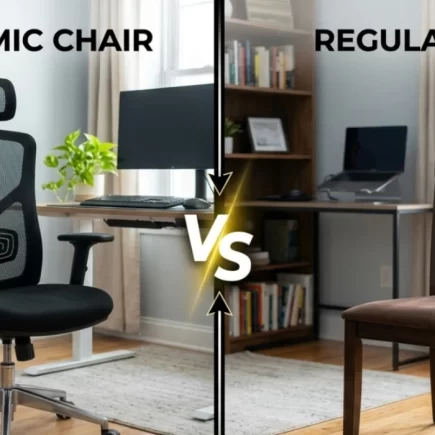
Many buyers compare a drafting table vs desk before making a decision. While they may look similar at first glance, their functionality is very different.
A drafting table is designed specifically for angled drawing, drafting precision, and ergonomic posture. A regular desk is built primarily for typing and general office tasks.
Key Differences Between a Drafting Table and a Desk
| Feature | Drafting Table | Regular Desk |
| Adjustable tilt | Yes | No |
| Height adjustability | Often available | Rare |
| Ergonomic support | High for drawing work | Moderate |
| Surface size | Larger | Standard |
| Best for | Drafting, sketching, blueprints | Typing, computer work |
When a Drafting Table Is the Better Choice
Choose a drafting table if you:
- Work with large drawings or blueprints
- Need adjustable tilt angles
- Spend long hours sketching or illustrating
- Want better posture support during creative work
When a Regular Desk Is Enough
A regular desk may be sufficient if your work is:
- Primarily laptop-based
- Focused on typing or office tasks
- Minimal in drawing or angled work
For technical drafting, architectural planning, or detailed illustration, a drafting table offers clear ergonomic and functional advantages.
Common Drafting Table Buying Mistakes to Avoid
Avoid these mistakes before you buy:
- Tabletop too small: always size up from your largest drawing or blueprint
- Weak tilt lock: test that the surface holds firm under pressure before purchasing
- Unstable frame: lightweight folding tables are not suitable for daily professional use
- No height adjustment: a fixed-height table limits ergonomics and shared use
- Skipping room measurements: account for tilt clearance, not just the table’s base footprint
A well-chosen Drafting Table is a long-term investment, one that supports your posture, your precision, and your work for years to come.
FAQs
Yes, tempered glass is significantly stronger than regular glass and shatters into dull pebbles rather than sharp shards if broken. It is a safe surface choice for older children and teenagers when used responsibly.
Yes. Hand-crank mechanisms require minimal effort and no tools, making them practical for children to adjust height on their own without adult assistance.
Use a self-healing cutting mat or vinyl drafting cover on top of the surface during work. Remove wet materials immediately. For wood surfaces, apply a thin coat of furniture wax every 6–12 months to prevent drying and cracking.