
































Installing a ceiling fan with light is one of the most practical upgrades you can make in your home. It keeps your space comfortable year-round, improves airflow, adds brightness, and even helps lower your energy bills. While the wiring and mounting process might sound intimidating, most homeowners can complete the job safely in just a few hours with basic tools and patience.

This step-by-step guide walks you through how to install a ceiling fan, from removing the old fixture and wiring the fan correctly to mounting it securely and testing the light kit.
What You’ll Need
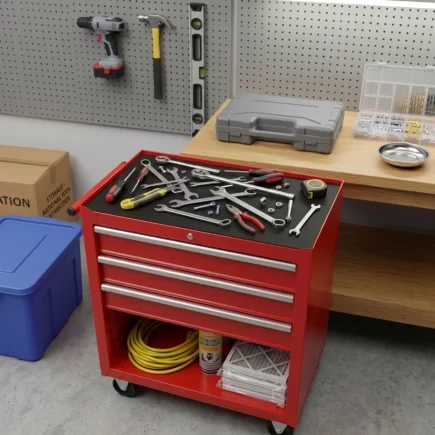
Tools:
- Ladder with a stable base
- Screwdrivers (Phillips and flat-head)
- Wire cutters/strippers
- Voltage tester
- Pliers
- Adjustable wrench
Materials:
- Mounting bracket (included with most fans)
- Wire connectors (wire nuts)
- Electrical tape
- Dimmable LED bulbs (if not included)
Step 1: Turn Off the Power
- Before doing anything, switch off the power at your home’s circuit breaker. Confirm with a voltage tester that the wires are not live.
- Never rely solely on a wall switch, cut power from the breaker box to eliminate the risk of electrical shock.
- If your breaker panel isn’t labeled, switch off the main breaker for the entire house while you work. Safety is the first and most important step when installing a ceiling fan.
Step 2: Remove the Old Fixture or Fan
- If replacing an existing light fixture or older fan, start by removing it carefully.
- Use a ladder to reach the ceiling and unscrew the canopy or base plate. Disconnect each wire connection by twisting off the wire nuts and separating the wires.
- Keep the old screws and brackets aside until you confirm whether your new fan includes replacements. Take a quick photo of the wiring before you disconnect everything, it’s useful for reference later.
Step 3: Check or Replace the Ceiling Electrical Box
- A standard light-rated electrical box cannot support the weight and movement of a fan.
- Inspect your ceiling box: it must be marked “Ceiling Fan Rated.” This rating ensures it’s strong enough to handle vibration and weight safely.
- If it isn’t fan-rated, replace it before continuing. Use an expandable fan brace that secures between ceiling joists, or call a licensed electrician to install one properly.
- Skipping this step could cause the fan to wobble, loosen, or even detach over time.
Step 4: Attach the Mounting Bracket
- The mounting bracket is the metal plate that anchors your fan to the ceiling. Feed the ceiling wires through the hole in the center of the bracket, then align it with the electrical box screw holes.
- Tighten the bracket screws firmly until the plate no longer moves.
If the fan will hang from a sloped ceiling, use an angled mounting kit or ball-and-socket design to maintain proper alignment. - A solid bracket is critical for safety and stability, so double-check that everything is level and snug before moving on.
Step 5: Assemble the Fan on the Ground
- It’s easier to assemble most of the fan components before lifting it overhead.
- Follow your product manual to attach the downrod (if included) to the motor housing, tighten the locking pin, and secure the cover. If your fan is flush-mount, connect the canopy directly to the motor housing instead.
- Installing half of the fan blades at this stage helps keep the fan balanced and makes mounting easier later. Lay the assembled unit gently on a soft surface to avoid scratching it.
Step 6: Hang the Fan on the Bracket
- Carefully lift the fan assembly and hook it onto the mounting bracket. Many ceiling fan brackets include a small groove or hook that supports the fan while you connect the wiring. This allows you to work safely without holding the fan’s full weight.
- If your model doesn’t include a hanging feature, ask another person to hold the fan steady as you wire it. Make sure the fan sits securely before releasing it.
Step 7: Connect the Wires
Wiring a ceiling fan with light might look complex, but it follows a simple color-coded system.
Match each wire according to color and function:
| Wire Color | Function | Connection |
| Black | Fan power (hot) | To black wire from ceiling |
| Blue | Light power | To black or blue wire from ceiling (depending on switch setup) |
| White | Neutral | To white wire from ceiling |
| Green or bare copper | Ground | To green screw or ground wire |
- Hold the exposed copper ends together, twist on a wire nut until tight, and wrap electrical tape around each connector for extra security.
- If your home has dual switches for light and fan control, follow your manual’s wiring diagram to separate the blue and black leads correctly.
Step 8: Ground the Fan
- Grounding prevents electrical shocks and fires. Twist together the green or bare copper wire from the fan and the same-colored wire from the ceiling, then secure with a connector.
- If your fan has a ground screw on the bracket, wrap the wire around the screw before tightening it.
- Never skip grounding, this is essential for safety whenever installing electrical fixtures.
Step 9: Tuck the Wires Into the Ceiling Box
- Once all connections are made, gently push the wires back into the ceiling box. Keep the wire nuts facing upward to prevent them from loosening.
- Ensure there are no exposed copper ends or pinched wires. A clean, compact fit makes attaching the canopy easier and safer.
Step 10: Attach the Canopy
- Slide the canopy cover up toward the ceiling to hide the wiring and bracket. Align the screw holes and secure it tightly with the provided screws.
- Check that the canopy sits flush against the ceiling without wobbling or gaps. A loose canopy can cause rattling noises during operation.
Step 11: Attach the Fan Blades
- Attach each fan blade to the motor housing one by one. Insert the screws into the pre-drilled holes and tighten them evenly.
- Make sure every screw is secure, loose blades create imbalance and vibration that can damage the motor over time.
- Once all blades are attached, spin them gently by hand to check clearance and balance. The blades should rotate smoothly without touching any part of the canopy or ceiling.
Step 12: Install the Light Kit
- If your fan includes a separate light kit, connect it according to the manufacturer’s wiring instructions. Typically, the blue wire powers the light kit and should already be connected.
- Attach the light fixture base to the fan body with the included screws. Install the glass shades or covers carefully to avoid cracks.
- Use energy-efficient, dimmable LED bulbs that match the wattage recommended by the manufacturer, these provide bright light while keeping energy costs low.
Step 13: Restore Power and Test
- Once everything is secure, turn the circuit breaker back on.
- Test the fan first to ensure it spins smoothly on all speed settings, then test the light to confirm it powers on properly.
- If the fan wobbles, tighten the blade screws or use the balancing kit provided with your fan.
- Listen for unusual noises, clicking or humming usually indicates loose hardware or misalignment that needs adjusting.
Step 14: Final Checks and Adjustments
- Check blade alignment: Measure from each blade tip to the ceiling to confirm they’re even.
- Verify switch direction: Most ceiling fans have a reverse switch for seasonal airflow, counter-clockwise for summer cooling and clockwise for winter warmth.
- Tighten hardware: After a few hours of use, re-check all visible screws to ensure nothing has loosened.
Taking ten minutes for these adjustments ensures long-term stability and quiet operation.
Troubleshooting Common Issues
- The fan wobbles after installation: Make sure the blades are evenly tightened and undamaged. Use the included balancing weights if needed.
- The light doesn’t turn on: Double-check that the blue wire is connected to power and that bulbs are screwed in properly.
- The fan won’t start: Verify that the circuit breaker is on and that all wire connections are tight and correctly matched.
- The fan hums loudly: Ensure the mounting bracket is fully tightened and the canopy isn’t vibrating against the ceiling.
Maintenance Tips
- Dust blades monthly with a microfiber cloth or vacuum attachment.
- Tighten visible screws every few months.
- Replace bulbs promptly with compatible LED models.
- Avoid using a dimmer switch to control fan speed, use a proper fan speed controller instead.
- Lubricate motor bearings if your manufacturer recommends it.
Regular maintenance keeps your fan running quietly and efficiently for years.
Learning how to install a ceiling fan is a manageable project that offers lasting rewards. With careful preparation, attention to safety, and the right tools, you can confidently mount and wire your Ceiling Fan with Light in just an afternoon.
If your wiring setup looks complicated or your ceiling box isn’t fan-rated, consult a licensed electrician. Otherwise, follow these steps closely, and you’ll have a perfectly installed fan that keeps your home comfortable through every season.
FAQs
1. What is the ideal ceiling height for a fan installation?
For optimal airflow, install the fan so the blades are about 8–9 feet above the floor and at least 12 inches below the ceiling. Use a downrod for high ceilings to maintain that distance.
2. Can a ceiling fan with light be installed on a sloped ceiling?
Yes, as long as your fan uses an angled mounting kit or ball-and-socket bracket. Always check the manufacturer’s maximum slope angle rating before installation.
3. Is it necessary to use a downrod?
Not always. Flush-mount fans are ideal for low ceilings under 8 feet, while downrods improve airflow in rooms with taller ceilings by lowering the fan height.
4. Are ceiling fans with integrated LED lights replaceable?
Most modern integrated LEDs last 25,000–50,000 hours. While not always replaceable individually, the full light module can be replaced if needed following the manufacturer’s guidance.